WooCommerce B2B vs Wholesale Suite Pro: Which Wholesale Plugin Should You Pick?
Published: 22 Jul 2026
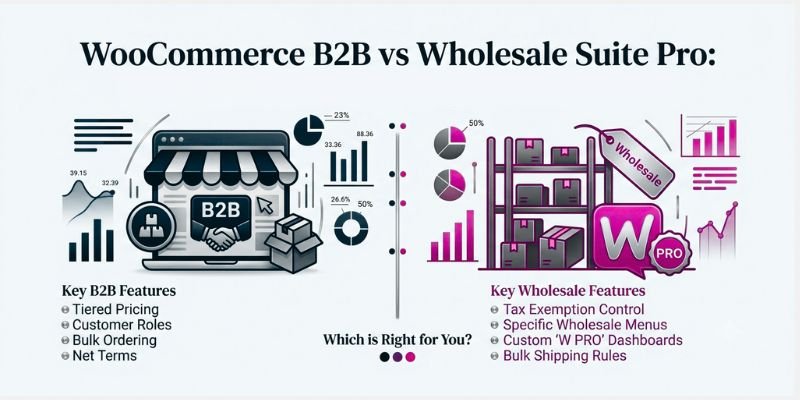
If you sell on WooCommerce and you’re starting to get emails from buyers asking for “bulk pricing” or “a wholesale account,” you’ve probably run into these two names: WooCommerce B2B Vs Wholesale Suite Pro. Both turn a normal WooCommerce store into one that can handle wholesale buyers, but they solve the problem in almost opposite ways, and picking the wrong one can cost you weeks of rework later. (And if you’re still getting your WooCommerce store set up, it’s worth finishing that groundwork first before layering on a wholesale plugin.)
This decision matters more than it used to. US B2B ecommerce grew 13% to $2.93 trillion in 2025, with more than 90% of B2B transactions now happening electronically, according to Digital Commerce 360’s B2B ecommerce market forecast. That growth is exactly why getting the wholesale side of a WooCommerce store right, not just bolted on, is worth the extra research before you buy.
This guide walks through what each plugin actually does, what it costs today, where each one falls short, and how to decide between them based on your store size, not just a feature checklist.
Quick Answer
WooCommerce B2B is a one-time $99 plugin with wholesale pricing, quotes, and visibility controls built in. Wholesale Suite Pro is a modular subscription ($99–$299/year) split across separate pricing, ordering, quoting, and payment-terms plugins.
Choose WooCommerce B2B for an all-in-one toolkit with no recurring cost. Choose Wholesale Suite Pro if you’d rather add features gradually and want a dedicated bulk order form.
Key Differences at a Glance (Comparison Table)
| Aspect | WooCommerce B2B | Wholesale Suite Pro |
| Features | All-in-one: roles, tiered pricing, catalog visibility, request-a-quote, tax/shipping rules, in a single plugin | Modular: core pricing plugin + separate Order Form, Lead Capture, Quotes, and Payments add-ons, bought individually or as a bundle |
| Pricing | $99 one-time payment (lifetime use) | $99/year (core pricing plugin) up to $299/year for the full 5-plugin bundle |
| Ease of Use | One admin menu for everything; slightly denser once you add rules | Settings spread across multiple plugins; each screen is simpler, but there are more of them |
| Pros | No recurring cost, full toolkit in one plugin, single dashboard | Dedicated bulk order form, direct vendor support, large established install base |
| Cons | A product sold via Envato/CodeCanyon (marketplace support), no bulk order form, and a smaller track record | Recurring cost that adds up fast, full workflow requires multiple separate plugin purchases |
| Developer | Code4Life | Wholesale Suite (wholesalesuiteplugin.com) |
| Core focus | All-in-one B2B toggle for user roles, pricing, quotes, and visibility | Modular suite: wholesale pricing, order forms, and lead capture as separate add-ons |
| Marketplace | CodeCanyon (Envato) | Direct from developer / WordPress.org (free core) |
What Is WooCommerce B2B?
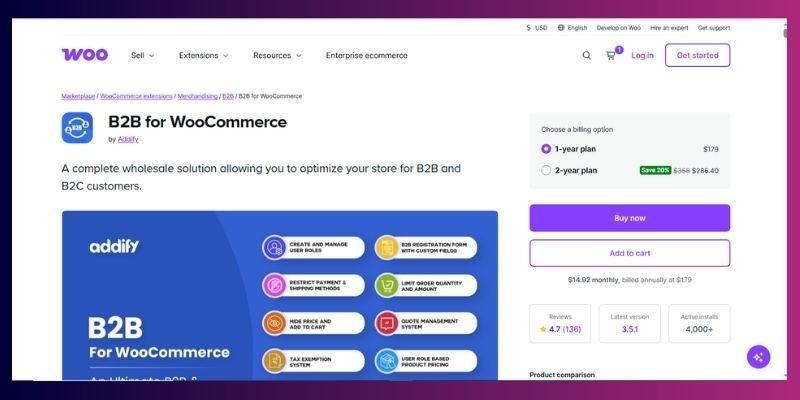
WooCommerce B2B is a single plugin, sold by Code4Life on Envato’s CodeCanyon marketplace, built to add wholesale and B2B functionality to a WooCommerce store without needing extra add-ons. Instead of splitting features across multiple products, it bundles user roles, role-based pricing, catalogue visibility, quote requests, and tax handling into one install.
If you haven’t fully weighed WooCommerce’s strengths and limitations as a platform yet, it’s worth doing that first, since these plugins only make sense once WooCommerce itself is the right fit for your store.
Core features:
- Custom user roles → you can add B2B and wholesale roles, extend the signup form with your own fields, and manually approve new accounts before they see wholesale prices.
- Role-based and quantity pricing → set different prices by role, by individual customer, or by order quantity, and apply bulk pricing rules across a whole category instead of editing each product one by one.
- Catalogue and price visibility → hide specific products from certain customers, whole categories, or your entire storefront from guests and from roles that shouldn’t see them.
- Request-a-quote system → swap “Add to Cart” for “Add to Quote” for chosen roles, so buyers can ask for custom pricing, and you manage those requests from your dashboard.
- Tax and shipping controls → tax-exempt handling, inclusive/exclusive tax display by role, and the ability to restrict shipping or payment methods per customer group.
You’ll see this plugin listed as ranked among the top WooCommerce wholesale extensions on comparison sites, and it typically holds a 4-out-of-5 star rating with the small number of reviews CodeCanyon products usually collect early on; worth checking the current review count yourself before buying, since it’s still a smaller install base than more established options.
What Is Wholesale Suite Pro? & The Features
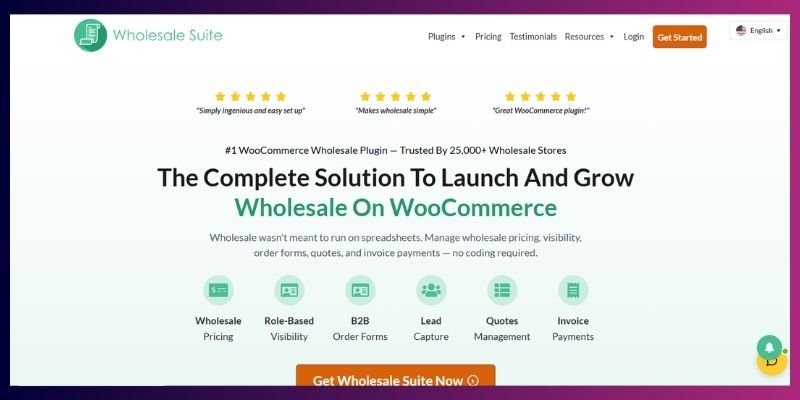
Wholesale Suite isn’t one plugin; it’s a family of them, sold by the same company (wholesalesuiteplugin.com) and meant to be used together. The lineup has grown since it first launched. As of mid-2026, it includes five products:
- Wholesale Prices Premium → the paid upgrade to the free Wholesale Prices plugin. Adds multiple wholesale roles, tiered quantity discounts, category or product-level pricing, and a built-in Wholesale Reports analytics dashboard.
- Wholesale Order Form → a fast, AJAX-powered, spreadsheet-style ordering screen so wholesale buyers can search, filter, and add dozens of products to their cart without clicking through individual product pages or reloading the page.
- Wholesale Lead Capture → a dedicated wholesale registration form with custom fields, file uploads, and an approval workflow, so you’re not manually creating wholesale accounts one at a time.
- Wholesale Quotes → the newest addition. Lets buyers (including guests who haven’t registered yet) request a custom quote, message back and forth with you, and convert an approved quote directly into an order.
- Wholesale Payments → NET 30/60/90 payment terms through Stripe, with automatic invoice generation, so established wholesale buyers can order now and pay on terms instead of at checkout.
Because the core “Wholesale Prices” plugin is free on WordPress.org with a large number of active installs, Wholesale Suite has a longer public track record and a much bigger existing user base than most competing wholesale plugins, which matters if you want to see how a tool performs at scale before you commit money to it.
Wholesale Suite Pro Features
Role-based and tiered pricing → Set wholesale prices globally, by category, or per product, with quantity-based tiered discounts (for example, 5% off at 10 units, 15% off at 50), all configurable per wholesale role.
- Multiple wholesale roles → Unlike a single flat “Wholesale Customer” role, Premium lets you create several pricing tiers for different types of buyers.
- Product visibility and catalogue mode → Retail prices can be hidden from wholesale users, and a private-store mode can hide prices and the add-to-cart button entirely until a customer logs in.
- Shipping, payment, and tax rules by role → Wholesale customers can be restricted to specific shipping methods, payment gateways, or tax treatment.
- Add-on modules → The wider Wholesale Suite ecosystem includes a separate Order Form plugin (for fast, spreadsheet-style bulk ordering) and a Lead Capture plugin (for wholesale-specific registration forms), which integrate with the core pricing plugin but are sold and priced separately.
Its modular structure allows you to start cheap with just pricing, then add order forms and lead capture plugins as your wholesale business grows.
Feature-by-Feature Comparison
| Feature | WooCommerce B2B | Wholesale Suite Pro |
| Wholesale/B2B user roles | Built in, customizable | Built in, multiple tiers in Premium |
| Tiered quantity pricing | Yes, per role or product | Yes, configurable per role |
| Category-wide pricing rules | Yes | Yes |
| Catalog/price visibility control | Yes, by role or guest | Yes, plus a private “catalogue mode” |
| Request-a-quote / custom pricing | Built in | Yes, via the separate Wholesale Quotes plugin (includes guest quoting and quote-to-order conversion) |
| Dedicated bulk order form | No, standard WooCommerce checkout | Yes, separate Order Form plugin, AJAX-powered |
| Wholesale registration & approval | Basic, built into core plugin | Dedicated Lead Capture plugin with file uploads and custom fields |
| Tax-exempt / role-based tax display | Yes | Yes |
| Shipping/payment restrictions by role | Yes | Yes |
| Sold as | Single plugin, one product | Family of 5 plugins, bought individually or as a bundle |
| Marketplace | Envato/CodeCanyon | Direct from vendor + WordPress.org (free core) |
| Sales/analytics reporting | Not a dedicated feature | Yes, built-in Wholesale Reports dashboard (revenue by role, average order value, top products) |
| NET 30/60/90 payment terms | Not included | Yes, via the separate Wholesale Payments plugin (Stripe-powered) |
WooCommerce B2B & Wholesale Pro’s Price Comparison
Pricing is where these two genuinely diverge, so don’t take anyone’s word for it; check each vendor’s live pricing page before you buy, since plugin pricing changes more often than people expect.
WooCommerce B2B:
- $99, one-time payment through CodeCanyon
- Includes lifetime use and updates
- Comes with roughly 6 months of support included; extending support past that is an optional paid add-on through Envato
Wholesale Suite Pro:
- A single-site license for Wholesale Prices Premium starts at $99/year
- The All Access Bundle, all five plugins (Prices Premium, Order Form, Lead Capture, Quotes, and Payments) is $299/year
- This is a recurring annual subscription; access stops if you don’t renew
What this means in practice: over a 3-year period, WooCommerce B2B’s flat $99 will cost less than Wholesale Suite Pro’s full bundle. But if you only need core wholesale pricing and skip the order form, quotes, and payment-terms add-ons, Wholesale Suite Pro’s entry price ($99/year) is roughly comparable to WooCommerce B2B’s one-time fee in year one. Just remember that’s a recurring cost, not a one-time one, so it overtakes WooCommerce B2B’s total cost by year two.
Where You Buy It Matters (Not Just Price)
WooCommerce B2B is sold through Envato’s CodeCanyon marketplace, not directly by the developer’s own storefront. That means your purchase, license terms, and refund policy run through Envato’s marketplace rules, and support requests typically go through Envato’s item support system rather than a dedicated help desk. If you’ve bought CodeCanyon plugins before, you already know response times can vary by developer.
Wholesale Suite Pro is sold directly by the developer, through their own site, with the free core plugin also distributed on WordPress.org. That gives you a direct support relationship, official documentation hosted by the company itself, and a longer public history you can check through WordPress.org’s own review and support forums before buying.
If vendor support responsiveness matters to your decision, and for a plugin running your checkout, it should, this is worth weighing alongside price.
Compatibility Checklist
There is no such thing as an isolated plugin. Before committing, make sure to check:
| Works with | WooCommerce B2B | Wholesale Suite Pro |
| Standard WooCommerce themes | Yes | Yes |
| Popular page builders (Elementor, etc.) | Generally yes, test your specific theme | Generally yes, test your specific theme |
| WooCommerce Subscriptions | Not officially documented, test in staging first | Documented compatibility |
| Multi-currency plugins | Requires testing/add-ons | Requires testing/add-ons |
| WPML (multilingual) | Not officially documented | Documented compatibility |
| Membership/restriction plugins | Can overlap in role logic; check for conflicts | Can overlap in role logic; check for conflicts |
The practical takeaway: whichever plugin you pick, install it on a staging copy of your site first and test it against your actual theme and any other plugins that touch user roles, pricing, or checkout. Role-based plugins are the most common source of plugin conflicts on WooCommerce stores, because more than one plugin often tries to control the same checkout or pricing logic at the same time.
Performance & Usability
“Easy to use” means different things for you (the store owner) and your buyers. Here’s the quick version, then the details.
| WooCommerce B2B | Wholesale Suite Pro | |
| Installs needed | 1 plugin | 2–4 plugins (core + add-ons) |
| Settings location | One “B2B” menu | Spread across each plugin |
| Beginner learning curve | Slightly easier, one place to look | Slightly steeper, more screens |
| Site speed footprint | Lighter (one plugin) | Heavier (multiple active plugins) |
| Buyer ordering experience | Standard product-by-product checkout | Dedicated bulk order form |
Setup: one plugin vs. several
WooCommerce B2B is one plugin. Install it, activate it, done.
Wholesale Suite Pro is different. You install the free core plugin, then add whichever premium modules you need: Prices Premium, Order Form, Lead Capture. That’s up to four separate plugins running at once.
More pieces means more to keep updated. But it also means you only install what you actually need.
Admin dashboard: one menu vs. several
WooCommerce B2B keeps everything in one place. Roles, pricing, visibility, quotes, and tax settings all live under a single “B2B” menu. Handy, though that one screen can feel crowded once you’ve added several rules.
Wholesale Suite splits things up instead. Pricing settings live in one plugin, order form settings in another, lead capture in a third. Cleaner if you only need pricing. More menus to learn if you add everything.
Learning curve for beginners
Neither of the two plugins is hard to learn. But neither is instant, either.
Expect some trial and error the first time you set up tiered or role-based pricing; getting rules to apply correctly across categories usually takes a couple of tries no matter which plugin you pick.
- WooCommerce B2B: one menu to check, slightly gentler for a first-timer.
- Wholesale Suite Pro: more clicking between screens at first, but each screen has a narrower, simpler job.
Site speed: what actually slows your store down
Every active plugin adds some overhead. Pricing and role logic is especially heavy, since it has to check who’s viewing the store on nearly every page load.
- WooCommerce B2B, as a single plugin, generally has a smaller footprint.
- Wholesale Suite Pro’s full bundle runs three active plugins instead of one, more surface area to slow things down, especially on large catalogues or budget hosting.
Neither vendor publishes independent load-time benchmarks. Don’t take either one’s word for it. Test on a staging site with caching turned on, and run before/after checks with a tool like Google PageSpeed Insights, especially if you’re running a large catalogue.
Buyer-facing experience: what your customers actually see
This is where the two plugins really differ.
- WooCommerce B2B: buyers use the standard WooCommerce product pages and checkout. Familiar, but slow for anyone ordering many products, since there’s no way to add dozens of SKUs without clicking through product pages one by one.
- Wholesale Suite Pro: buyers get a dedicated Order Form, one searchable, spreadsheet-style page where they can filter products and add multiple items to their cart at once.
Bottom line: if your buyers place small, occasional orders, they won’t notice the difference. If they’re ordering dozens of SKUs every time, the dedicated order form saves them real time, not just a nice extra.
Either way, since buyers still land on your standard product pages before checkout, it’s worth customizing your product pages to make sure wholesale visitors see the right information, and optimizing those product pages for search so they’re easy to find in the first place.
Switching Between Them (If You Change Your Mind Later)
Neither company offers a built-in migration tool, so switching isn’t a one-click process. Here’s what actually needs to happen if you move from one to the other:
- Export your pricing rules manually. Document your current role names, discount percentages, and which products or categories each rule applies to; there’s no automatic export for this.
- Rebuild your user roles in the new plugin. Wholesale/B2B roles created by one plugin generally aren’t recognized by the other, so existing wholesale customers may need to be reassigned to new roles.
- Reconfigure visibility rules. Product and category visibility settings are stored per-plugin, so these need to be rebuilt from scratch.
- Test checkout end-to-end before going live, especially tax handling and any quote or order-form workflows, since these behave differently between the two.
- Keep the old plugin installed but deactivated for a few weeks after switching, in case you need to reference its settings while troubleshooting.
Because of this manual work, it’s worth spending extra time picking the right plugin upfront rather than planning to switch later.
Pros and Cons of WooCommerce B2B Vs Wholesale Suite Pro
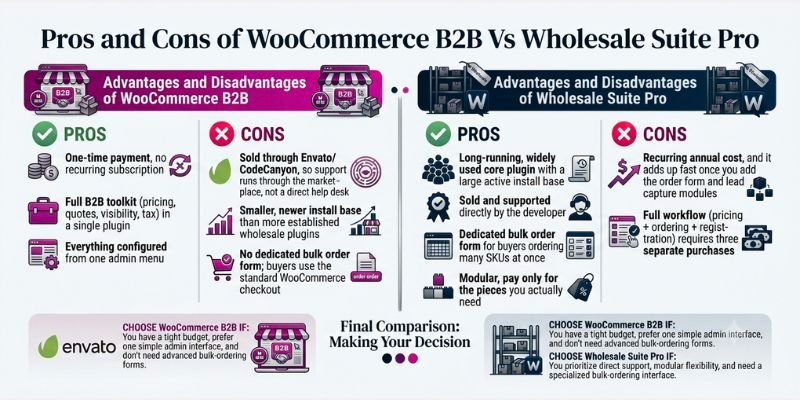
Now, let’s have a look at the benefits and drawbacks of both;
Advantages and Disadvantages of WooCommerce B2B
- ✅ One-time payment, no recurring subscription
- ✅ Full B2B toolkit (pricing, quotes, visibility, tax) in a single plugin
- ✅ Everything configured from one admin menu
- ❌ Sold through Envato/CodeCanyon, so support runs through the marketplace, not a direct help desk
- ❌ Smaller, newer install base than more established wholesale plugins
- ❌ No dedicated bulk order form; buyers use the standard WooCommerce checkout
Advantages and Disadvantages of Wholesale Suite Pro
- ✅ Long-running, widely used core plugin with a large active install base
- ✅ Sold and supported directly by the developer
- ✅ Dedicated bulk order form for buyers ordering many SKUs at once
- ✅ Modular, pay only for the pieces you actually need
- ❌ Recurring annual cost, and it adds up fast once you add the order form and lead capture modules
- ❌ Full workflow (pricing + ordering + registration) requires three separate purchases
WooCommerce B2B and Wholesale Pro: Which One Should You Choose?
If you’re a small store just starting to test wholesale: WooCommerce B2B’s flat $99 fee and single-plugin setup mean less to configure and less ongoing cost while you figure out if wholesale is worth pursuing.
If you expect to grow past a few hundred SKUs or need buyers to place large repeat orders quickly: Wholesale Suite Pro’s dedicated order form becomes worth the subscription cost, since browsing product-by-product doesn’t scale well once buyers are ordering dozens of items at once.
If support responsiveness and a longer public track record matter to you: lean toward Wholesale Suite Pro, given its direct-vendor support and free core plugin’s much larger public history on WordPress.org.
If budget predictability matters more than deep bulk-ordering features: WooCommerce B2B’s one-time fee is the safer long-term bet.
Neither plugin is objectively “better”; they’re built for different priorities. The right call depends on how big your wholesale operation is today, and how fast you expect it to grow.
Conclusion
Both plugins do what they promise: they turn a regular WooCommerce store into one that can handle wholesale buyers alongside your normal retail customers. The difference isn’t feature count; it’s how each one is packaged and priced.
WooCommerce B2B gives you everything in one plugin for a single $99 payment, which makes it the lower-risk, lower-cost starting point if you’re not yet sure how big your wholesale side will get. Wholesale Suite Pro spreads the same job across three plugins with an annual cost, but backs that up with a longer track record, direct vendor support, and a dedicated bulk order form that WooCommerce B2B simply doesn’t have.
If you only remember one thing from this guide: pick based on your order volume and buyer behaviour, not the price tag alone. A store with a handful of wholesale accounts placing occasional orders will barely notice the difference between the two. A store where buyers are placing large, repeat, multi-SKU orders every week will feel the lack of a dedicated order form in WooCommerce B2B fairly quickly, and that’s the real deciding factor, not which plugin looks cheaper on the surface.
Whichever one you choose, test it on a staging site first, confirm it plays nicely with your theme and other plugins, and check the vendor’s live pricing page before you buy; plugin pricing and terms shift more often than most comparison articles let on.
Frequently Asked Questions
WooCommerce B2B is the better choice for stores that want one all-in-one plugin for a one-time $99 payment. Wholesale Suite Pro is the better choice for stores that want a dedicated bulk order form and NET payment terms, and don’t mind a $99–$299/year subscription.
Technically, you could install both, but it’s not a good idea. Both plugins try to control user roles, pricing display, and checkout behaviour, and running them together is likely to create conflicts. Pick one.
WooCommerce B2B’s $99 one-time fee is usually cheaper over 2–3 years than Wholesale Suite Pro’s annual subscription, especially once you add the order form and lead capture modules to the bundle. Wholesale Suite Pro can be cheaper in year one only if you buy the core pricing plugin alone.
Yes. Both let you offer better pricing at higher order quantities, configurable by role, category, or individual product.
Only Wholesale Suite Pro, through its separate Order Form add-on. WooCommerce B2B uses the standard WooCommerce checkout with wholesale pricing applied.
No. Both are built for setup through the standard WordPress/WooCommerce admin. Complex pricing rules across multiple roles will still take some trial and error either way.
No, there’s no built-in migration tool. Switching means manually rebuilding your pricing rules, user roles, and visibility settings in the new plugin. See the “Switching Between Them” section above for the full process.
Wholesale Suite documents compatibility with both. WooCommerce B2B doesn’t officially document this compatibility, so test it in a staging environment first if you rely on either tool.
Wholesale Suite Pro is sold and supported directly by its developer, with an established public history on WordPress.org. WooCommerce B2B is sold through Envato’s CodeCanyon marketplace, so support requests go through Envato’s item-support system rather than a dedicated help desk.
Yes, both support role-based tax handling and tax-exempt settings, though the specific configuration steps differ between the two.
Wholesale Suite Pro does, through its built-in Wholesale Reports dashboard; it breaks down revenue by role, average order value, and top-selling products. WooCommerce B2B doesn’t include a dedicated wholesale analytics dashboard; you’d rely on standard WooCommerce reporting instead.
Wholesale Suite Pro supports this through its separate Wholesale Payments plugin, which handles NET terms via Stripe with automatic invoicing. WooCommerce B2B doesn’t include built-in NET terms support.




- Be Respectful
- Stay Relevant
- Stay Positive
- True Feedback
- Encourage Discussion
- Avoid Spamming
- No Fake News
- Don't Copy-Paste
- No Personal Attacks
- Be Respectful
- Stay Relevant
- Stay Positive
- True Feedback
- Encourage Discussion
- Avoid Spamming
- No Fake News
- Don't Copy-Paste
- No Personal Attacks
