Best Tow Truck Company WordPress Themes (Free & Paid) – Complete Guide for 2026
Published: 29 Mar 2026
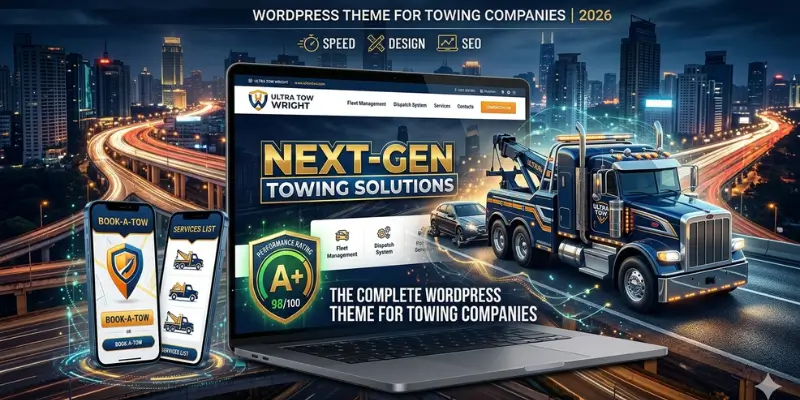
Every day, people search for a tow truck company WordPress theme because they need help fast. The problem is, if your website loads slowly, looks outdated, or hides your phone number, they won’t wait; they’ll call your competitor.
Many towing business owners don’t realize this. They invest in trucks, staff, and fuel, but ignore their website. As a result, they lose calls, miss local leads, and struggle to compete, even if they offer better service.
Your website does not just act as an online presence. It’s your 24/7 lead generator. When someone’s car breaks down, they don’t compare ten businesses. They click the first site that looks trustworthy and easy to contact.
In this guide, you’ll learn how to choose the right tow truck WordPress theme, set it up properly, and turn your website into a tool that brings in real calls, not just visitors. Everything here is beginner-friendly, backed by experience, and designed to save you time and money.
What Is a Tow Truck Company WordPress Theme?
A tow truck company WordPress theme is a pre-built website template designed specifically for towing, roadside assistance, and auto service businesses.
It includes features that make your business easy to find and contact online, like:
- Click-to-call buttons so customers can call instantly.
- Service pages for specific locations or services.
- Booking or quote forms to generate leads without phone calls.
- Mobile-friendly layouts that work on smartphones and tablets.
It is like a toolkit that gives your website a professional look without coding skills. Whether you run a small local towing service or a larger roadside assistance company, these themes save weeks of setup time.
Why Choose WordPress for Your Towing Business Website?
wordpress is the fastest, easiest, and most affordable way to create a professional towing business website that ranks well in local search.
WordPress powers over 40% of websites worldwide and for good reason:
- Ease of use: You don’t need coding knowledge to customize the site. Themes and drag-and-drop builders make customization simple.
- SEO advantages: WordPress works well with plugins like Rank Math or Yoast SEO, helping you rank for local searches like “tow truck near me”.
- Plugin ecosystem: Add forms, live chat, booking systems, and speed optimization tools with one click.
- Flexible design: Whether you want a minimal site or a feature-rich portal, WordPress can handle it.
For small business owners, WordPress is the smartest platform to build a professional towing website fast and affordably.
What Makes a Great Tow Truck Company WordPress Theme
A great tow truck WordPress theme is mobile-friendly, fast, easy to customize, optimized for local SEO, and built to capture leads and build trust.
Not all themes are created equal. Here’s what to look for:
Mobile-First Design
Over 70% of emergency towing searches happen on smartphones. A mobile-friendly theme ensures:
- Fast loading on any device
- Clear call-to-action buttons
- Easy-to-fill forms for quick lead capture
- Readable text and buttons even on small screens
Fast Loading Speed (Under 3 Seconds)
A slow website loses visitors instantly and impacts Google rankings. Choose a lightweight theme that optimizes Core Web Vitals for faster loading and better user experience, with compressed images and minimal heavy scripts to keep pages fast.
Click-to-Call Buttons
Customers in distress want help now. Placing a visible phone number in the header, footer, and hero section increases calls and leads immediately. Sticky or floating call bars can further improve conversions.
Local SEO-Ready Structure
Your theme should allow:
- Service area pages for each city
- Schema markup for Google
- Easy integration with Google Maps
- Optimization of “near me” keywords to improve local search visibility
Booking and Quote Forms
Make requesting a tow simple. Online forms should only ask for essential info: name, phone number, location, and type of service. Integrate forms with email or CRM systems to capture leads efficiently.
Reviews and Testimonials Section
Show social proof to build trust. Display real Google reviews, customer testimonials, or star ratings prominently to reassure potential customers that your business is reliable.
Service Page Layout
Organize your services clearly with city-specific landing pages and detailed descriptions of towing packages. This improves usability and helps with local SEO rankings.
Elementor / Page Builder Support
Drag-and-drop builders like Elementor or Beaver Builder make customizing your site simple, even if you have no coding experience. They save time and allow you to make your website professional-looking.
Multilingual Support (Optional)
If your business serves a diverse community, a translation-ready theme ensures visitors can read content in their preferred language, making your website more accessible.
10 Best Tow Truck Company WordPress Themes (Free & Paid)
Finding the right WordPress theme for your towing business can make a huge difference in lead generation, SEO, and customer trust. We carefully selected the themes below for their speed, mobile responsiveness, local SEO readiness, and customization options, giving you a professional website without coding headaches.
If your site looks outdated or loads slowly, people leave, even if your service is great.
That’s why I picked these themes based on:
- Speed and mobile performance
- Local SEO support
- Easy customization (no coding needed)
- Real business features like booking, contact forms, and service pages
Let’s go through each one in detail.
Quick Comparison Table: Tow Truck Company WordPress Themes
| Theme | Price | Best For | Speed | Ease of Use | SEO Ready | Key Strength |
| Towy | $49 (one-time) | Ready-made towing websites | ⭐⭐⭐⭐ | ⭐⭐⭐⭐ | ✅ | Niche-specific demos |
| CarZone | ~$60 (one-time) | Towing + repair businesses | ⭐⭐⭐ | ⭐⭐⭐ | ✅ | High customization |
| VW Towing | $40–$59 | Beginners on a budget | ⭐⭐⭐ | ⭐⭐⭐⭐⭐ | ✅ | Simple setup |
| Tow Now | $20 | Growing towing companies | ⭐⭐⭐ | ⭐⭐⭐⭐ | ✅ | Flexible layouts |
| Astra | Free / $47+ yr | Speed + SEO-focused businesses | ⭐⭐⭐⭐⭐ | ⭐⭐⭐⭐⭐ | ✅ | Ultra-fast performance |
| Kadence | Free / $79+ yr | Modern, clean websites | ⭐⭐⭐⭐⭐ | ⭐⭐⭐⭐⭐ | ✅ | Block-based design |
| Divi | $89/yr / $249 LT | Advanced design & branding | ⭐⭐⭐ | ⭐⭐⭐ | ✅ | Visual builder power |
| OceanWP | Free / $54+ yr | Budget-friendly professional sites | ⭐⭐⭐⭐ | ⭐⭐⭐⭐ | ✅ | Strong free version |
| Neve | Free / $59+ yr | Fast and simple local business sites | ⭐⭐⭐⭐⭐ | ⭐⭐⭐⭐⭐ | ✅ | Lightweight & fast |
| Zakra | Free / $69+ yr | Flexible starter templates | ⭐⭐⭐⭐ | ⭐⭐⭐⭐ | ✅ | Easy scalability |
Quick Tip for Beginners
- If you want fast results with towing-specific design → go with Towy
- If you want free + fastest performance → choose Astra or Neve
- If you want full design control → pick Divi
1. Towy – Dedicated Towing WordPress Theme
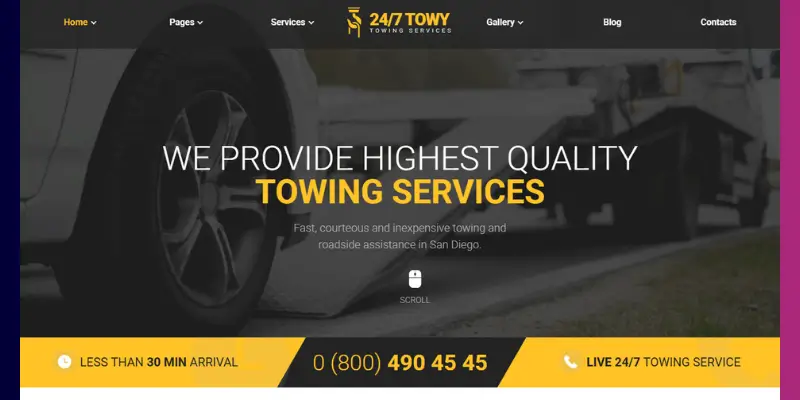
Towy Theme has been designed specifically for towing and automotive service businesses. With multiple ready-to-use demos, it allows you to launch a professional site quickly. Its focus on fast loading, click-to-call features, and WooCommerce support makes it ideal for small business owners who want both style and functionality.
Key Features:
- 6 pre-built demo sites for towing, auto repair, car wash, locksmith, taxi, EV charging
- Full Elementor drag-and-drop support
- Light and dark color modes
- Boxed and wide layout options
- Complete inner pages (About, Team, Services, Timetable, FAQ, Shop, Coming Soon, 404)
- WooCommerce-ready for memberships and service packages
- Contact Form 7 integration for quotes
- Fast-loading clean code
- One-click demo import
- Dedicated video tutorial and developer support
Pricing: $49 one-time (ThemeForest)
Pros:
- Fully purpose-built for towing and auto services
- Beginner-friendly demo setup
- No coding needed for customization
Cons:
- Requires Elementor for full editing
- Extended support costs extra
Best for: Towing business owners who want a professional, multi-demo theme ready to launch quickly.
2. CarZone – Towing & Repair Theme
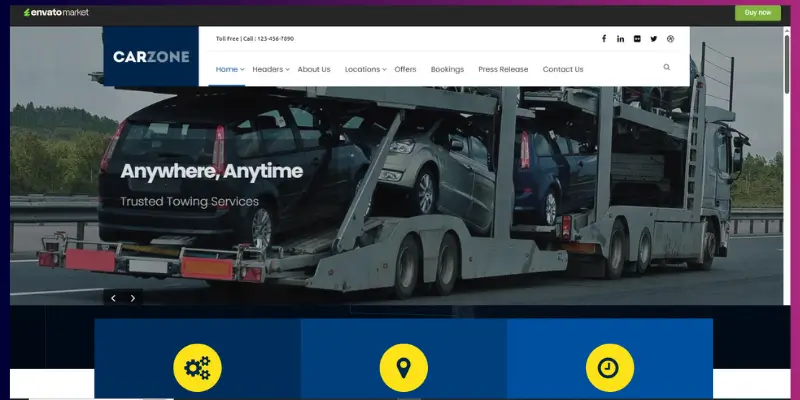
CarZone fits towing businesses that also handle vehicle repair, maintenance, or garage services. The theme gives you strong control over layout and design, so you can present multiple services clearly on one website. You can customize headers, pages, and colours without coding, which helps beginners build a professional site while still allowing room to grow.
Key Features:
- 5 header styles
- Unlimited sidebars
- Slider Revolution included
- 500+ Google Fonts
- Built-in booking system
- Custom widgets
- Multiple page layouts
- Full colour customization
- Blog support
- WPML support
Pricing:
Around $60 (one-time purchase)
Pros:
- Strong customization options
- Works well for multi-service businesses
- Built-in tools reduce plugin dependency
Cons:
- Beginners may need time to learn layout settings
Best for:
Towing companies offering repair, maintenance, or garage services alongside towing.
3. VW Towing Theme
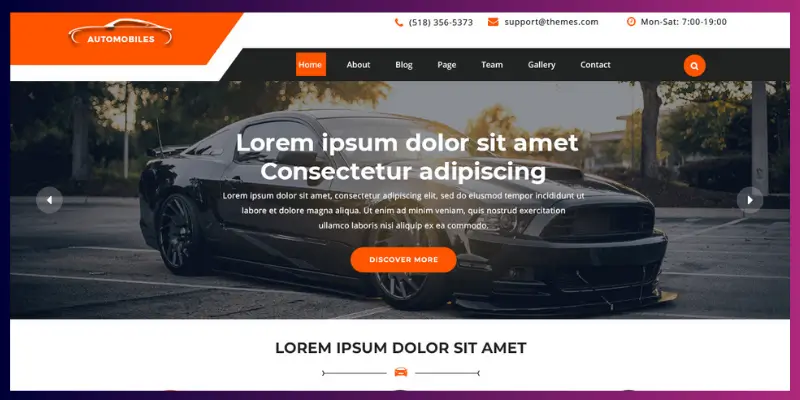
The VW Towing Theme focuses on simplicity and quick setup. If you want to launch your towing website without dealing with complex settings, this theme gives you all the essential sections like services, testimonials, and contact pages ready to use. It also follows basic SEO structure, which helps your pages appear in search results.
It’s available in both free and premium versions. The premium version is typically sold on their official website (not ThemeForest)
Key Features:
- One-click demo import
- SEO-friendly structure
- Fully responsive design
- WooCommerce support
- Custom homepage sections
- Translation-ready
- Blog feature
- Contact form integration
- Color customization
- Social media integration
Pricing:
Around $40–$59
Pros:
- Easy to set up and manage
- Budget-friendly
- Clean and simple layout
Cons:
- Limited design flexibility compared to premium themes
Best for:
Beginners who want a simple towing website on a low budget.
4. Tow Now – Towing Services Elementor Template Kit
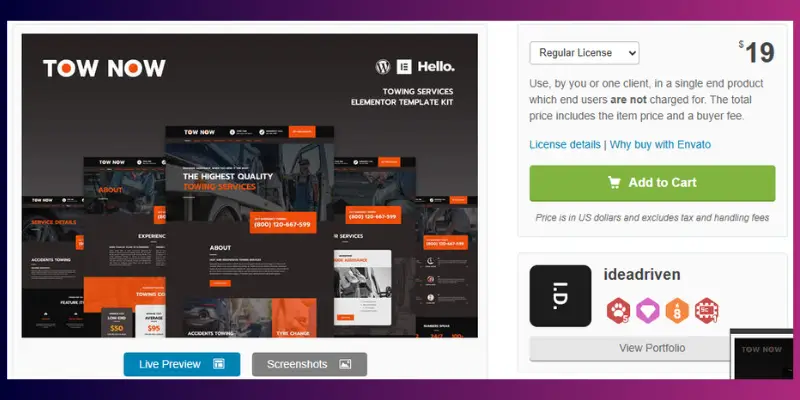
Tow Now is an Elementor template kit designed specifically for towing and roadside assistance services. It is not a full WordPress theme, but it works with lightweight themes like Astra or Hello Elementor. This setup gives you more control over design while keeping your website fast and easy to manage.
If you want a modern towing website without building everything from scratch, Tow Now helps you launch quickly with ready-made layouts.
Key Features:
- Built with Elementor (drag-and-drop editing)
- Ready-made pages for towing services
- Homepage, About, Services, Contact, and FAQ layouts Fully
- Responsive and mobile-friendly design
- Fast-loading and lightweight structure
- SEO-friendly layout
- Easy customization without coding
- Google Maps integration support
- Contact and lead generation forms
- Clean and modern design style
Pricing:
Usually around $20 on marketplaces like ThemeForest.
Pros:
- Beginner-friendly with no coding required
- Ready-to-use layouts save setup time
- Works well with fast themes like Astra
- Affordable compared to full premium themes
Cons:
- Not a standalone theme (requires a base theme like Astra)
- Limited advanced features compared to full themes
- Customization depends on Elementor
Best for:
Towing business owners who want a quick, modern website using Elementor without building everything from scratch, especially beginners or small local businesses.
5. Astra – Lightweight WordPress Theme
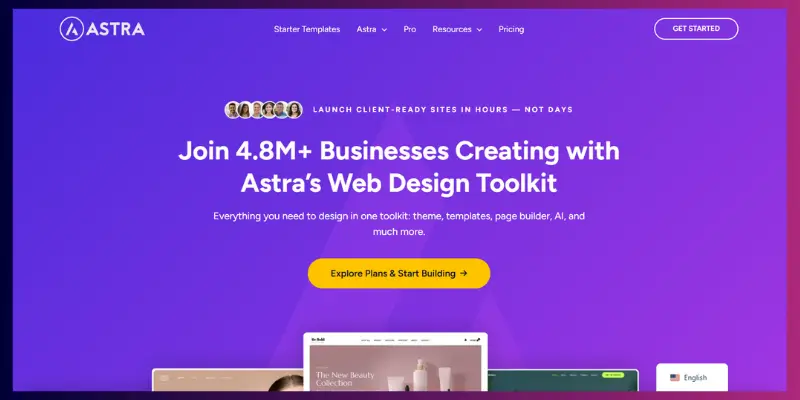
Astra is a lightweight, versatile theme popular among service businesses. While not towing-specific, its fast performance, SEO optimization, and compatibility with all major page builders make it a reliable choice for any local service website.
Key Features:
- Ultra-lightweight and fast
- Compatible with Elementor, Beaver Builder, and Gutenberg
- Starter template library for service businesses
- Schema markup support for local SEO
- WooCommerce-ready
- Custom layout options with Astra Pro
- White-label branding capability
- Optimized for Core Web Vitals
- Regular updates and a large support community
- Minimalist design for easy customization
Pricing: Free / Astra Pro from $47/year
Pros:
- Fastest loading theme
- Works with all major page builders
- The free version is fully functional
Cons:
- Annual subscription for Pro features
- Not towing-specific out of the box
Best for: Budget-conscious towing businesses focused on speed, SEO, and flexibility.
6. Kadence – Free & Modern Theme
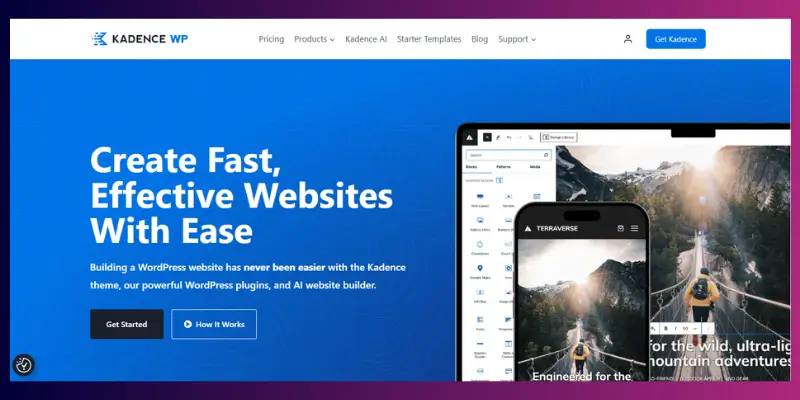
Kadence offers a modern, block-based design system with flexible starter templates. Its lightweight code, mobile responsiveness, and beginner-friendly editing make it perfect for towing businesses that want a clean, professional look without extra plugins.
Key Features:
- Drag-and-drop header/footer builder
- Gutenberg block editor compatibility
- Service business starter templates
- WooCommerce-ready
- Global color and font controls
- Lightweight codebase
- Fast Core Web Vitals performance
- Easy customization without coding
- Pre-built layout library
- Translation-ready
Pricing: Free / Kadence Pro $79/year
Pros:
- Strong free version
- Modern, block-based editing
- Professional design without Elementor
Cons:
- Fewer niche-specific demos
Best for: Towing businesses that want a fast, clean, and modern website on a free or low-budget platform.
7. Divi – Feature-Rich Drag-and-Drop Theme
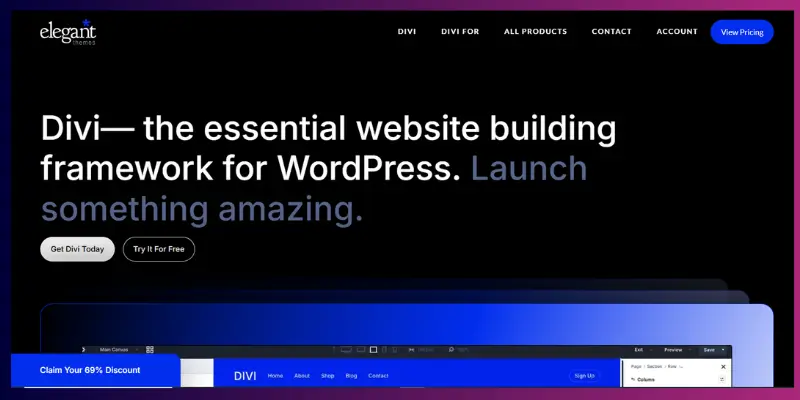
Divi is a premium theme offering complete design freedom through its visual builder. It’s A/B testing, animation effects, and global element management that help towing businesses create a highly interactive and branded website.
Key Features:
- Divi Builder included (visual drag-and-drop)
- 200+ pre-made layout packs
- A/B testing for headlines and CTAs
- Global elements for consistent design
- WooCommerce-ready
- Lifetime license option
- Unlimited site usage
- Customizable headers, footers, and sections
- Built-in animation and visual effects
- SEO-friendly structure
Pricing: $89/year or $249 lifetime
Pros:
- Maximum design freedom
- Lifetime license saves long-term costs
- Perfect for multiple service lines
Cons:
- Slight learning curve
- Can be heavier than other themes
Best for: Towing businesses with specific branding needs and multiple service lines.
8. OceanWP – Free Starting Point
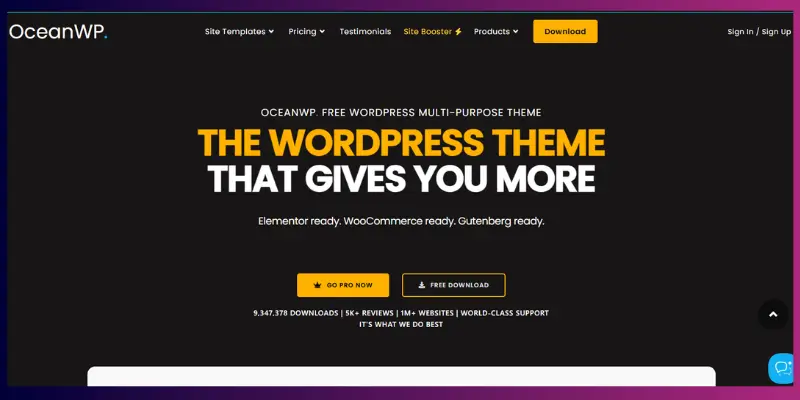
OceanWP is a free, lightweight theme that works with all major page builders. Its responsive design, WooCommerce integration, and SEO-friendly structure make it ideal for small towing businesses that need a professional site on a limited budget.
Key Features:
- Sticky header with click-to-call support
- WooCommerce-ready with shop templates
- Elementor, Beaver Builder, and Gutenberg support
- Lightweight core for speed
- Multiple header layout options
- Premium extensions available
- One-click demo import
- Fast loading and responsive
- SEO-friendly structure
- Translation-ready
Pricing: Free / Premium extensions $54/year
Pros:
- Professional free version
- Beginner-friendly
- Works with all major page builders
Cons:
- Some advanced features require extensions
Best for: New towing businesses on a tight budget needing a professional website quickly.
9. Neve – Fast & Flexible
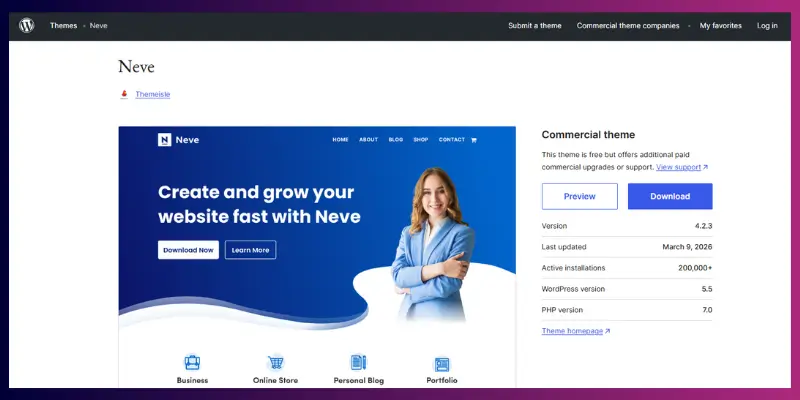
Neve works well for small business websites. It loads fast and keeps things simple, which helps beginners create a clean website quickly.
Key Features:
- Mobile-first and lightweight
- Ready-made templates for service businesses
- Compatible with Elementor, Brizy, and Gutenberg
- WooCommerce integration
- SEO-optimized
- Header and footer builder
- AMP-ready
- Translation-ready
- Fast Core Web Vitals scores
- One-click demo import
Pricing: Free / Neve Pro $59/year
Pros:
- Extremely fast loading
- Flexible for any local service
- Easy setup for beginners
Cons:
- Advanced modules require the Pro version
Best for: Two companies prioritizing speed and simple setup without compromising SEO.
10. Zakra – Flexible & Lightweight
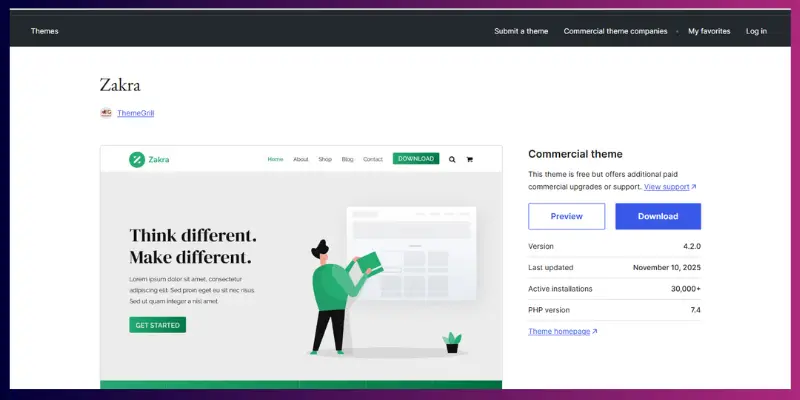
Zakra offers a mix of speed and flexibility. It provides ready-made templates that help you launch your website faster.
10 Key Features:
- Multiple starter templates
- Elementor and Gutenberg are compatible
- WooCommerce-ready
- Mobile-first design
- SEO-optimized
- Fast loading speed
- Translation-ready
- Custom colors and typography
- One-click demo import
- Regular updates
Pricing: Free / Zakra Pro $69/year
Pros:
- Lightweight and fast
- Multiple demos for service businesses
- Beginner-friendly setup
Cons:
- Some features require Pro
- Not towing-specific in the free version
Best for: Towing companies looking for a lightweight, versatile theme with growth potential.
Free vs Premium Tow Truck WordPress Themes
If you’re just starting, a free theme works fine. If you want more features and a stronger business image, a premium theme is a better choice.
Free themes
Free themes help you launch quickly without spending money. They work well if you want to test your idea or build a simple website.
- Good for beginners with a limited budget
- Basic design and features
- Limited support and updates
- Examples: Astra (free), OceanWP (free)
Premium themes
Premium themes give you better design, built-in features, and support. They help you look more professional and generate more leads.
- Advanced design and customization
- Built-in features like booking and service pages
- Regular updates and customer support
- Better performance and SEO structure
What should you choose?
If you’re testing, start with a free theme. Move to a premium theme once you start getting traffic or leads.
Important tip:
Always check the theme’s last update date. Avoid themes that haven’t been updated in over a year because they can cause security and compatibility issues.
How Much Does a Tow Truck WordPress Website Cost?
You can build a towing website on a small budget. Most small business websites cost between $50 and $300 per year, depending on your setup.
Here’s a simple breakdown:
- Domain + Hosting: $50–$100/year
- Free theme: $0
- Premium theme: $49–$89 (one-time or yearly)
- Plugins (SEO, forms, speed, chat): $50–$150/year
- Developer help (optional): $200–$500 one-time
Example:
If you use a free theme and basic hosting, you can launch your site for under $100.
If you choose premium tools and design help, your cost can go up to $300–$700.
Tip to save money:
Start simple. Add premium tools only when your business grows.
Must-Have Plugins for a Tow Truck Website
The right plugins help your towing website rank in local search, load faster, capture leads, and track results.
You don’t need dozens of plugins. In fact, too many plugins can slow down your site and create issues. What you need is a small set of reliable, well-maintained tools that directly support your business goals: getting more calls and bookings.
Here are the essential plugins every towing website should use:
Rank Math – Local SEO Optimization
This plugin helps your website appear in searches like “tow truck near me” or “emergency towing in [city]”.
Why it matters:
- Adds local business schema so Google understands your service
- Helps you optimize titles, meta descriptions, and keywords
- Improves chances of showing in Google Map results (local pack)
Best practice:
Set up your business name, address, and phone number (NAP) correctly inside the plugin.
WPForms – Booking & Quote Forms
WPForms lets customers request towing services directly from your website.
Why it matters:
- Captures leads from users who prefer forms over calls
- Works 24/7, even when you’re unavailable
- Sends instant notifications to your email
Best practice:
Keep your form simple: Name, phone number, location, and service type.
WP Rocket – Speed Optimization
Website speed directly affects both rankings and conversions.
Why it matters:
- Makes your website load faster (especially on mobile)
- Improves Core Web Vitals, which Google uses for ranking
- Reduces bounce rate (people leaving your site quickly)
Best practice:
Enable caching, lazy loading, and file optimization for best results.
Tidio / LiveChat – Real-Time Lead Capture
These tools allow visitors to chat with you instantly.
Why it matters:
- Captures urgent leads when customers need help fast
- Increases conversions (many users prefer chat over calls)
- Works well on mobile devices
Best practice:
Set up auto-replies like: “Need a tow? Share your location, and we’ll help you right away.”
MonsterInsights – Tracking & Insights
This plugin connects your site with Google Analytics in a simple way.
Why it matters:
- Shows where your visitors come from
- Tracks which pages generate calls and leads
- Based on real-time data, it helps you make better decisions
Best practice:
Monitor your top-performing pages and improve them to get more leads.
Additional Recommended Plugins (Often Missed)
To build a complete and secure towing website, also consider:
- Security plugin (e.g., Wordfence): Protects your site from hackers
- Backup plugin (e.g., UpdraftPlus): Keeps a copy of your site in case something breaks
- Image optimization plugin (e.g., ShortPixel): Compresses images for faster loading
Important Tip:
Install only the plugins you truly need.
Too many plugins can:
- Slow down your website
- Cause compatibility issues
- Increase security risks
Simple rule:
Focus on plugins that directly help you get more calls, improve speed, and rank locally.
Best Website Structure for a Tow Truck Company
A clear website structure helps visitors find information fast and increases your chances of getting calls.
Use this simple structure:
- Home
Show your main services, phone number, and quick call-to-action - Services
Create separate pages for each service (e.g., emergency towing, roadside assistance)
Add city-specific pages for better local SEO - About Us
Share your experience, team, certifications, and licenses to build trust - Blog
Publish helpful content targeting local keywords (e.g., “car broke down in [city]”) - Contact
Add a click-to-call button, a simple form, and a Google Map location
Tip:
Keep navigation simple. If users feel confused, they leave the site quickly.
How to Set Up Your Tow Truck Website (Step-by-Step)
You can build a complete towing website in a few hours by following a simple setup process, no coding required.
Many beginners get stuck because they don’t know the order of the steps. Follow this exact process to avoid mistakes.
Step 1: Purchase Domain and Hosting
Your domain is your website name (e.g., yourbusiness.com), and hosting stores your website online.
Tip: Choose a hosting provider with:
- Fast speed
- Good uptime
- One-click WordPress install
Step 2: Install WordPress
Most hosting providers offer one-click installation.
What happens next:
You get access to your website dashboard, where you manage everything.
Step 3: Install Your Theme
Upload and activate your chosen towing theme.
Tip: Always use a lightweight and updated theme to avoid speed and security issues.
Step 4: Import Demo Content
Most premium themes offer demo import.
Why this helps:
- Your website looks professional instantly
- You don’t need to design from scratch
Step 5: Customize Your Website
Now replace demo content with your real business details.
Update:
- Logo and colors
- Business name and services
- Images (use real photos if possible)
Step 6: Add Services and Contact Details
Create clear service pages like:
- Emergency towing
- Roadside assistance
- Vehicle recovery
Important: Add your phone number on every page.
Step 7: Install Essential Plugins
Install only the plugins you need, such as:
- SEO plugin (for rankings)
- Form plugin (for bookings)
- Speed plugin (for performance)
Step 8: Test Your Website Before Launch
Before going live, check:
- Does your site load fast?
- Do call buttons work on mobile?
- Do forms send messages correctly?
- Are all pages showing the correct info?
Final Tip
Don’t try to make everything perfect at the start. Launch a simple, working website first, then improve it based on real customer behaviour.
How to Set Up Your Tow Truck Theme for Local SEO
To get more calls from nearby customers, your website must clearly show what service you offer, where you operate, and how to contact you, within seconds.
Local SEO helps your towing business appear when someone searches “tow truck near me” or “emergency towing in [city]”. If your setup is weak, you won’t show up, even if your service is good.
Follow these steps:
1. Install an SEO Plugin
Use a plugin like Rank Math to manage your SEO settings.
What to do:
- Make sure you include your business name, address, and telephone number (NAP)
- Enable Local SEO schema
- Optimize page titles and descriptions
2. Create Service Area Pages (Most Important Step)
Create separate pages for all the locations you serve, rather than relying on a single page.
Examples:
- “Tow Truck in [city 1]”
- “Emergency Towing in [city 2]”
Why this works:
Google ranks pages that clearly match a user’s location-based search.
3. Optimize Your Google Business Profile
Your website and Google profile must match.
What to do:
- Keep the same business name, address, and phone number
- Make sure you add real photos of your trucks and team
- Collect customer reviews regularly
Tip:
Most towing calls come directly from Google Maps, so keep this profile active.
4. Add Click-to-Call Buttons
People searching for towing services are often in urgent situations.
What to do:
- Place your phone number in the header, footer, and homepage
- Make it clickable on mobile devices
Example:
Instead of plain text, use a call button like: Call Now
5. Optimize Website Speed (Especially Images)
Slow websites lose visitors quickly.
What to do:
- Convert images to WebP format
- Compress large images before uploading
- Use caching for faster loading
6. Add Google Maps to Your Website
Embedding your location builds trust and improves local relevance.
Where to add:
- Contact page
- Footer (optional)
7. Use Local Keywords Naturally
Include your city name in:
- Page titles
- Headings
- Service descriptions
Simple rule:
If someone lands on your page, they should instantly know what you do and where you serve.
EEAT Signals Your Tow Truck Website Must Have
Your website must prove that your business is real, experienced, and trustworthy. This directly affects both Google rankings and customer decisions.
Google evaluates websites based on Experience, Expertise, Authority, and Trust (EEAT). At the same time, customers decide within seconds whether they trust you enough to call.
Here’s how to build strong EEAT signals:
1. Use Real Photos (Not Stock Images)
Show your actual trucks, team members, and job sites.
Why it matters:
- Builds trust instantly
- Shows you’re a real local business
- Helps you stand out from generic competitors
2. Show Licensing and Certifications
Add any business licenses, insurance details, or certifications.
Examples:
- Local business license
- Insurance coverage
- Roadside assistance certifications
Extra trust signal:
If you have accreditation from organizations like the Better Business Bureau, display it clearly.
3. Display Customer Reviews Prominently
Place reviews on your homepage and service pages.
Best sources:
- Google reviews
- Facebook reviews
Tip: Add real names and ratings to make reviews more believable.
4. Highlight Your Experience
Tell visitors how long you’ve been in business.
Example: “Serving (city name) for 8+ years with 24/7 emergency towing.”
5. Add Guarantees or Service Promises
Give customers confidence to choose you.
Examples:
- “Fast response within 30 minutes”
- “Available 24/7”
- “Affordable and transparent pricing”
Security Essentials for Your Towing Website
A secure website protects your business data and builds trust with visitors and search engines. If your website looks unsafe, users won’t stay, and Google may lower your rankings.
Here’s what you must have:
1. SSL Certificate (HTTPS)
This shows a secure lock icon in the browser.
Why it matters:
- Protects user data
- Builds trust
- Required for SEO
2. Backup System
Use a backup plugin to save your website regularly.
Why it matters:
- In the case of a crash or a hack, you can restore your site
- Prevents data loss
3. Security Plugin
Use tools like Wordfence.
What it does:
- Blocks hackers and malware
- Monitors suspicious activity
- Protects login pages
4. Keep Everything Updated
Always update:
- WordPress core
- Themes
- Plugins
Why it matters:
Outdated software is the most common reason websites get hacked.
Why Customizing Your Theme Matters
A customized website helps your business look unique, builds trust, and improves conversions.
If your website looks like every other towing site, people won’t remember you. Customization helps you connect with your local audience.
1. Stand Out From Competitors
Most towing websites use the same templates.
What to do:
- Use your own images
- Write clear, local-focused content
- Highlight your unique services
2. Reflect Your Branding
Your website should match your business identity.
Customize:
- Colours (match your truck branding)
- Logo placement
- Fonts for readability
3. Organize Content for Your Customers
Make it easy for visitors to find what they need.
Example:
- Emergency services at the top
- Contact number always visible
- Clear service categories
How to Turn Visitors Into Calls (Conversion Tips)
Your website should guide visitors to call you quickly, especially in urgent situations.
People searching for towing services usually need help immediately. If your site doesn’t make calling easy, they will leave.
1. Place Call-to-Action Buttons Everywhere
Add “Call Now” buttons in:
- Header
- Homepage (hero section)
- Footer
2. Highlight Emergency Services
Make it clear that you offer fast help.
Example:
- “24/7 Emergency Towing”
- “Fast Response in Your Area”
3. Use Short Forms
Don’t ask too many questions.
Keep it simple:
- Name
- Phone number
- Location
- Service needed
4. Test and Improve
Small changes can increase calls.
Test:
- Button color and text
- Headline wording
- Layout structure
Common Mistakes Tow Truck Companies Make
Avoiding these mistakes can instantly improve your website performance and lead generation.
1. Slow Website Speed
If your site takes more than 3 seconds to load, many users leave.
Fix: Use fast hosting, optimized images, and caching.
2. No Visible Phone Number
If users can’t find your number quickly, they won’t contact you.
Fix: Place your number at the top of every page.
3. Ignoring Mobile Users
Most towing searches happen on mobile devices.
Fix: Use a mobile-friendly design with large buttons and fast loading.
4. Using Stock Images Instead of Real Photos
Stock images reduce trust.
Fix: Show your real trucks, team, and work.
5. No Clear Service Areas
If you don’t mention your location, Google and users get confused.
Fix: Add city-specific service pages and local keywords
Conclusion
Choosing the right tow truck company WordPress theme can directly impact how many calls and leads your business gets. A fast, mobile-friendly, and well-structured website helps people find you quickly when they need urgent help. At the same time, clear service pages, strong local SEO, and trust signals like real photos and reviews make it easier for them to choose you over competitors.
If you’re just starting, you can begin with a simple setup and improve it step by step. Focus on what matters most: speed, visibility, and making it easy for customers to contact you. As your business grows, you can upgrade your theme and tools to get even better results.
Now I’d like to hear from you:
Which theme are you planning to use for your towing business website?
Or if you’re already using one, what challenge are you facing right now?
Drop your thoughts in the comments. I’ll help you choose the best option or fix any issue you’re dealing with.
FAQs – Tow Truck Company WordPress Themes
The best theme depends on your needs. For towing-specific design, Towy works well. For speed and flexibility, Astra or Neve are strong options.
Yes, you can use free themes like Astra, OceanWP, or Kadence. They work well for beginners but may need extra plugins for advanced features.
Yes, you can download many themes for free from the WordPress theme library. Be careful not to download themes from unknown websites to avoid security risks.
No, most themes support drag-and-drop builders like Elementor, so you can design your site without coding.
Install WordPress, choose a theme, import demo content, add your services and contact details, and set up SEO plugins for local visibility.
Your site should include click-to-call buttons, service pages, booking forms, fast loading speed, and local SEO optimization.
A basic website can cost $50–$100 per year. A professional setup with premium tools and customization can cost $300–$700.
Yes, you can add booking or quote forms using plugins like WPForms, allowing customers to request service directly from your website.
Lightweight themes like Astra, Kadence, and Neve work best because they load fast and support seo plugins for local rankings.
Free themes are good for starting out, but premium themes offer better design, support, and built-in features for growing businesses.



- Be Respectful
- Stay Relevant
- Stay Positive
- True Feedback
- Encourage Discussion
- Avoid Spamming
- No Fake News
- Don't Copy-Paste
- No Personal Attacks
- Be Respectful
- Stay Relevant
- Stay Positive
- True Feedback
- Encourage Discussion
- Avoid Spamming
- No Fake News
- Don't Copy-Paste
- No Personal Attacks
